Digital Asset Management
Digital asset management software built for how teams actually work
PandaDAM organizes your photos, video, and 360° media in one searchable library — with duplicate detection, facial recognition, and secure sharing links built in.
Everything your media library needs
Real, shipped capabilities — no fine print, no fabricated integrations.
Organized media library
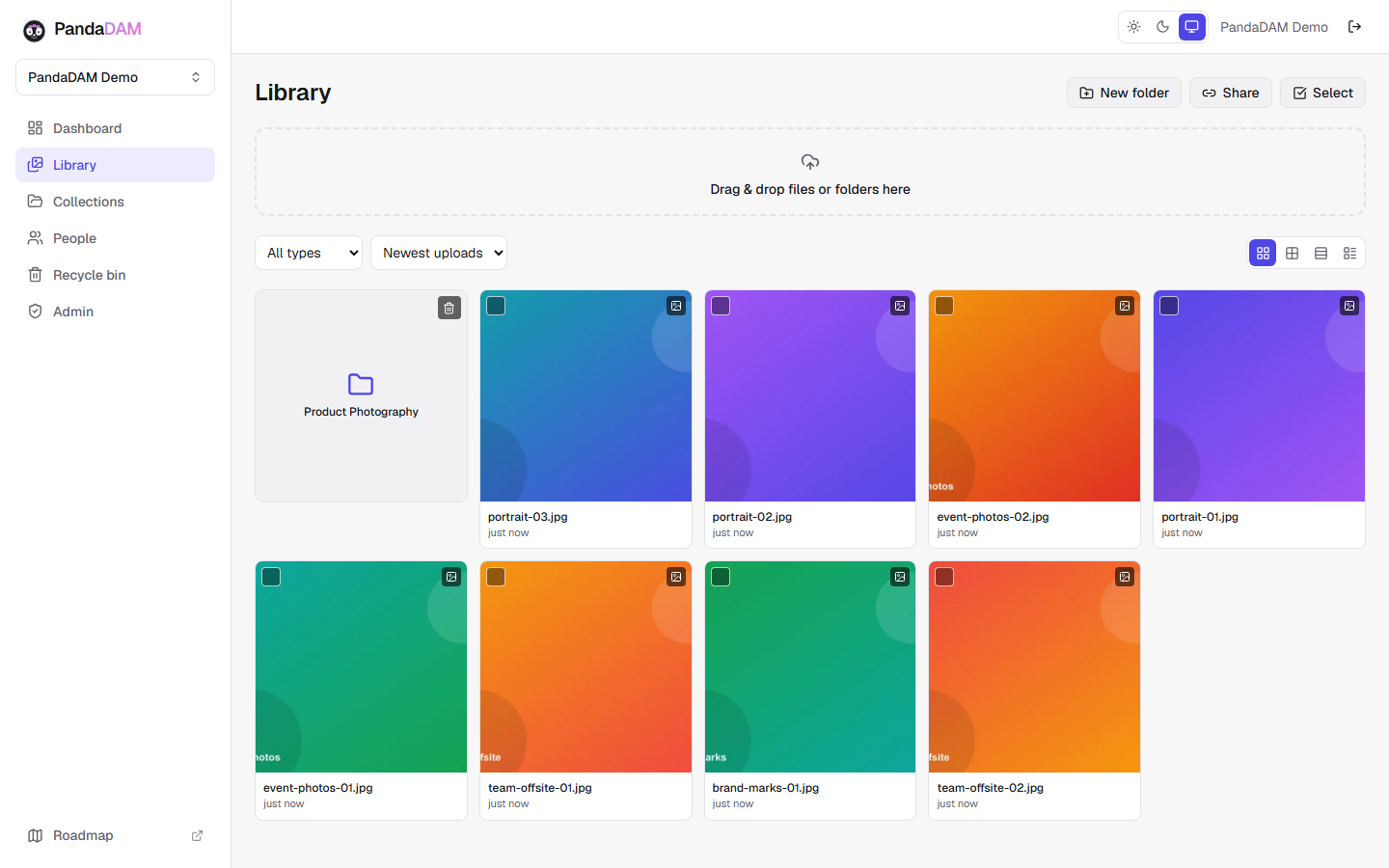
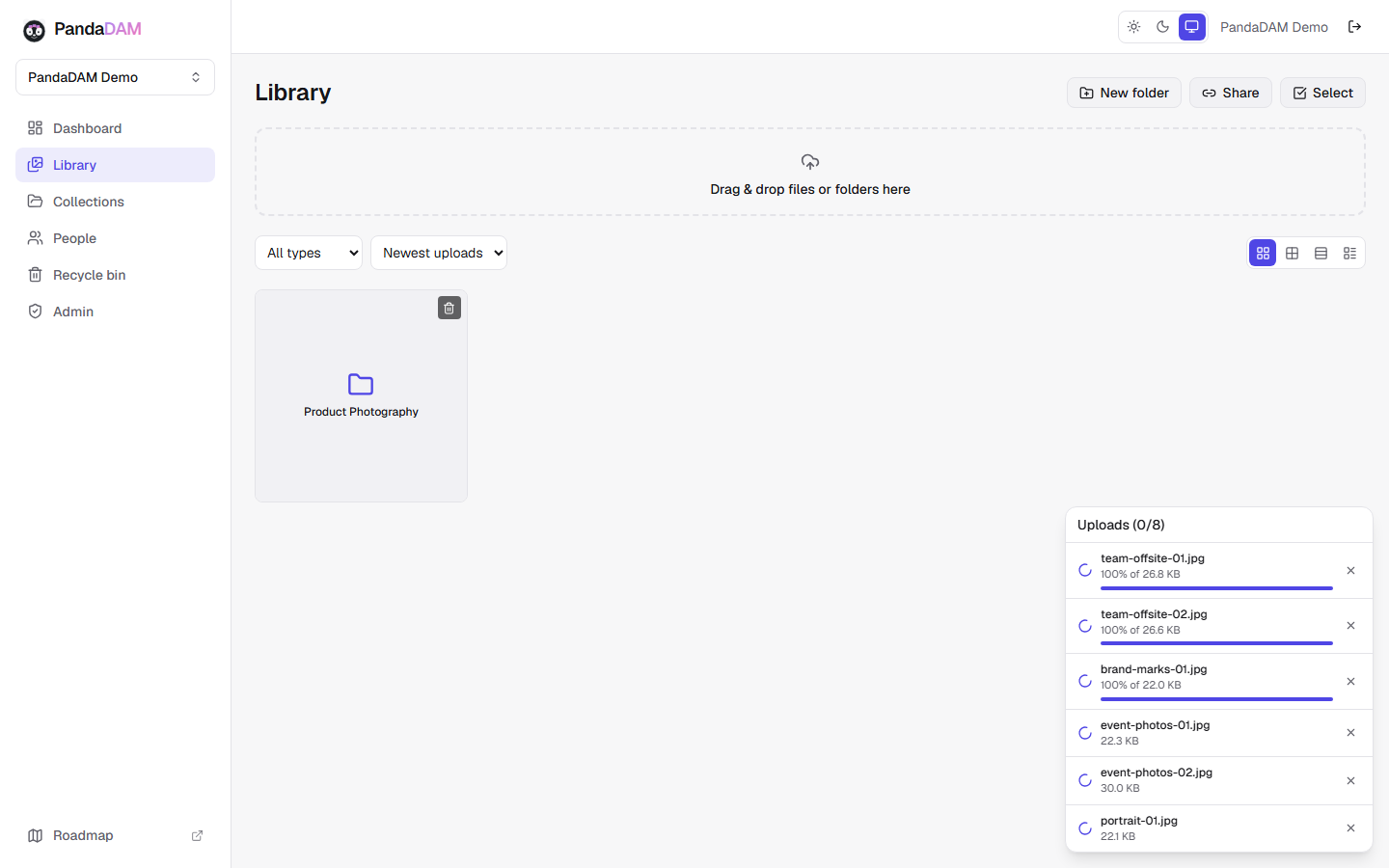
Folders, collections, grid, compact, masonry, and list views, plus filters, search, favorites, and ratings.
Learn moreVideo & 360° assets
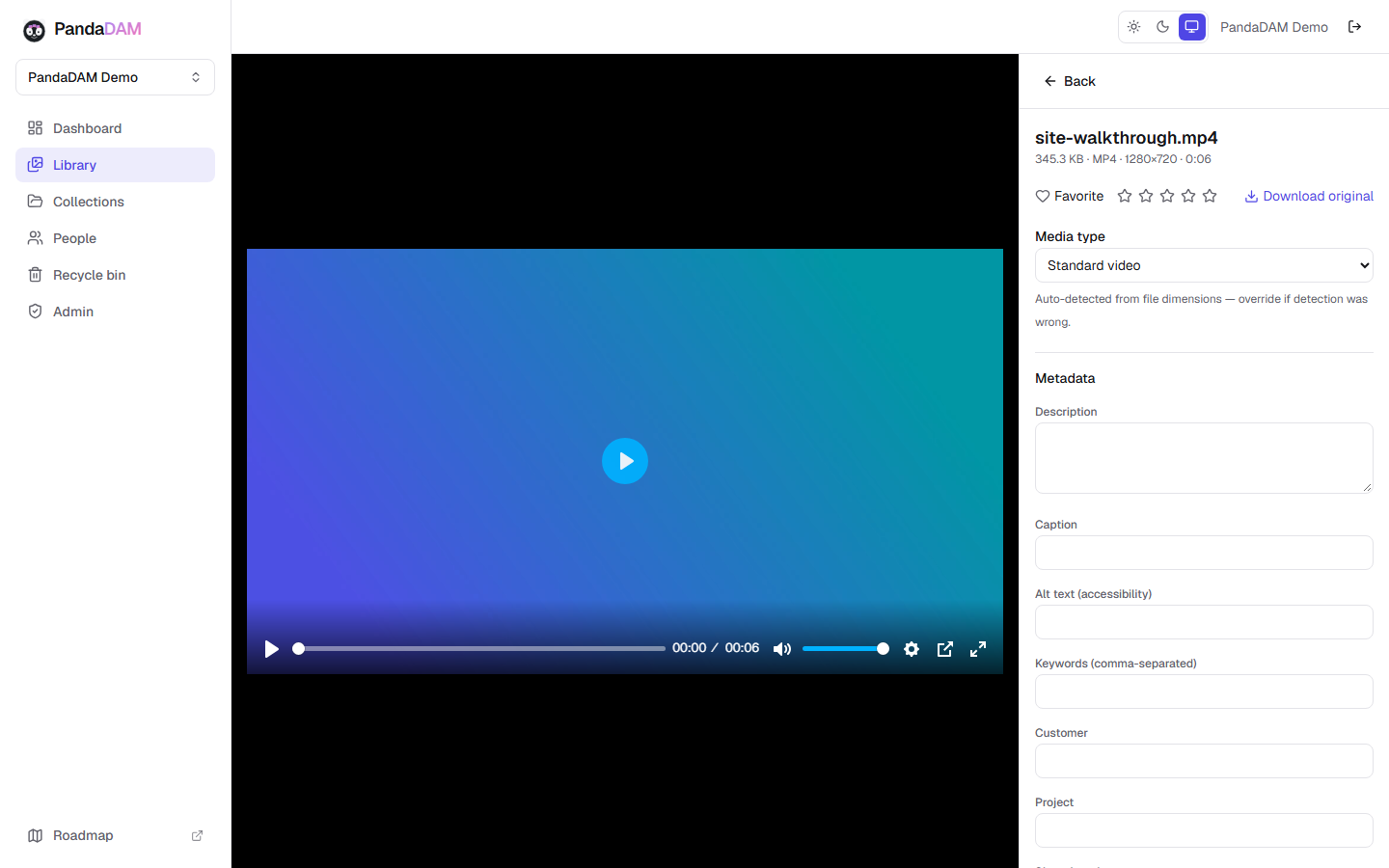
Built-in video playback, automatic metadata extraction, and thumbnail generation on every upload.
Learn morePeople & facial recognition
Browse your library by person, with AI-powered facial recognition automatically grouping photos, opt-in per workspace.
Learn moreSecure sharing
Password-protected, expiring links scoped to a folder, collection, or people group.
Learn moreRecycle bin safety net
Every delete path lands in a recycle bin first — nothing is one click away from permanent loss.
Learn moreRoles & workspaces
Admin, Manager, Contributor, Viewer, and Client roles with isolated per-workspace storage.
Learn moreA digital asset management system built around how your media actually moves
A searchable media library that scales with you
Every PandaDAM workspace centers on a searchable media library: folders and collections give your team a familiar way to organize digital assets, while grid, compact, masonry, and list views let you browse the way that fits the job at hand. Filters narrow a library down by type, folder, or upload date in seconds, and favorites and star ratings make it easy to flag the shots worth reusing. As a digital asset library grows past a few hundred files, search stops being optional — PandaDAM keeps every asset's filename, description, caption, and keywords searchable from day one, so finding a file doesn't depend on remembering which folder someone filed it under two years ago.
Duplicate digital asset detection runs automatically on every upload. PandaDAM hashes each file's contents — not just its filename — the moment it lands in your library, so a photo re-imported from a different folder, a different laptop, or a different person on the team gets flagged instead of silently doubling your storage and your search results. It's one of the quieter differences between purpose-built digital asset management software and a general-purpose cloud drive: a shared drive doesn't know it already has your file.
Built-in viewing for photos, video, and 360° media
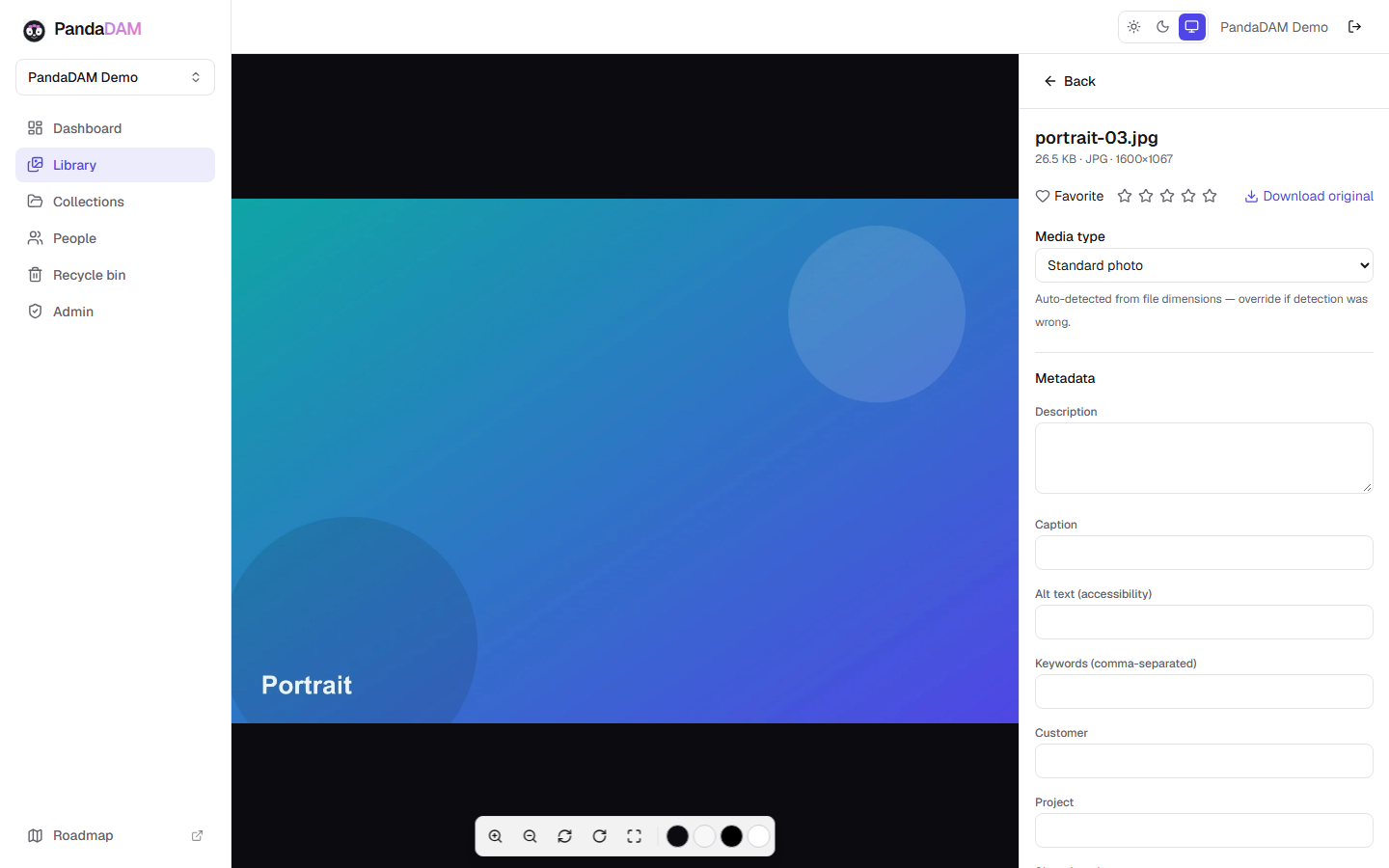
A digital asset management platform is only as useful as its viewer. PandaDAM's photo viewer supports zoom, pan, rotate, fullscreen, and an adjustable background so you can actually judge a photo's framing and color before you send it anywhere. Video plays back with standard controls directly in the browser — no downloading a file just to confirm it's the right take. Every image and video is automatically processed on upload: EXIF metadata is extracted, and a thumbnail and preview are generated so your library stays fast and scannable even as it grows into the thousands of assets.
360° photo and video files are supported as first-class asset types today, viewable as their flat source file; a fully interactive panoramic viewer is in active development — see the roadmap for where that stands.
A People view, powered by AI facial recognition — opt-in by design
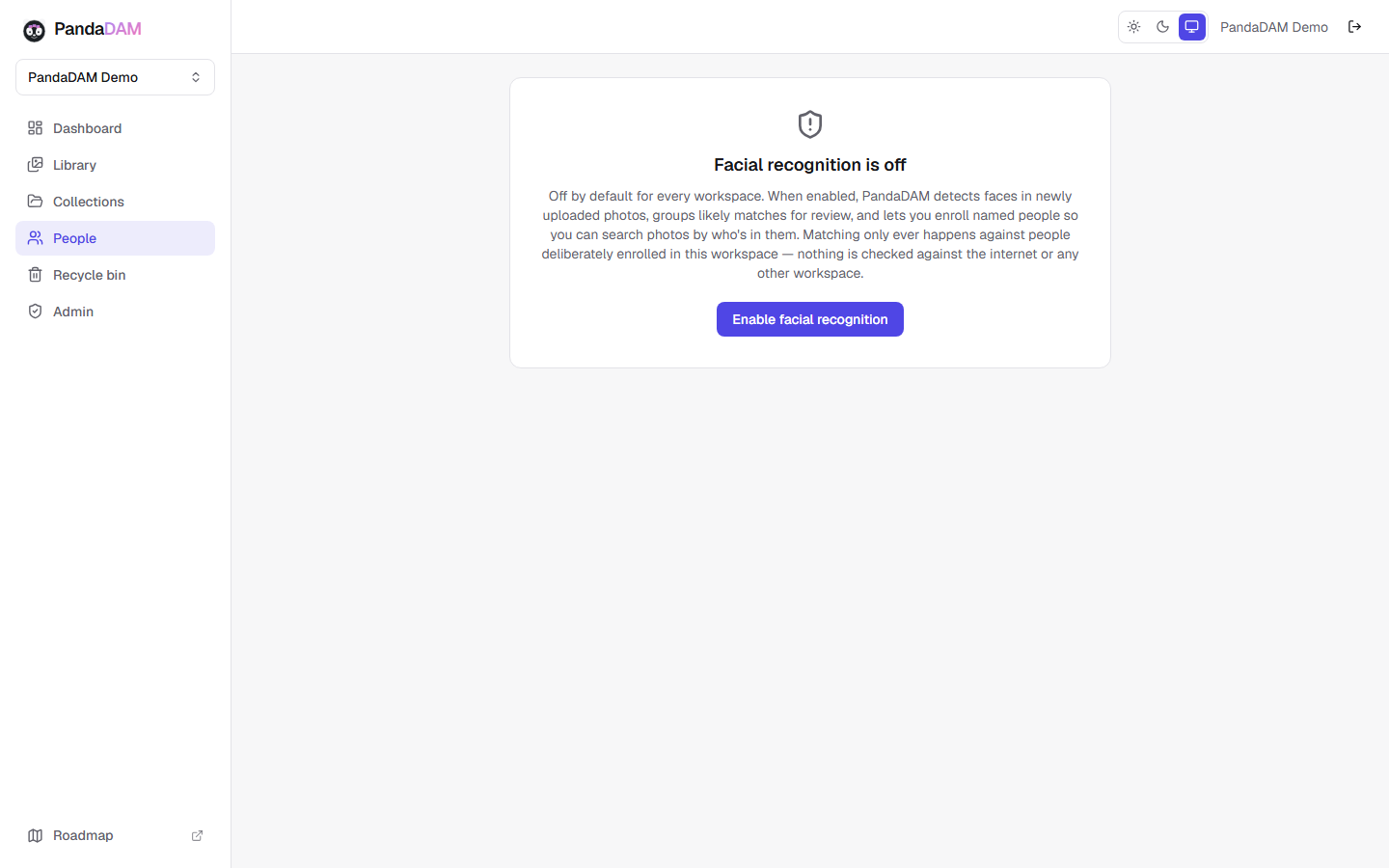
Photo management software for businesses runs into the same wall eventually: nobody has time to manually tag every person in every photo. PandaDAM has two connected pieces to solve this: a dedicated People view for browsing and searching your library by who's in a photo, and AI-powered facial recognition running underneath it — automatic face detection that groups your photos by the people in them the moment they're uploaded. Enroll a person once — a client, a team member, an event attendee — and every future matching photo groups to them automatically, no manual tagging required.
Facial recognition is fully opt-in and toggled per workspace, off by default. Face data is encrypted at rest, and matching only ever happens against people deliberately enrolled in that workspace — nothing is checked against the public internet or any other workspace. Automated AI tagging and captioning of general photo and video content — describing a scene, not just recognizing a face — is in active development; see the roadmap for progress.
Secure sharing without an account requirement
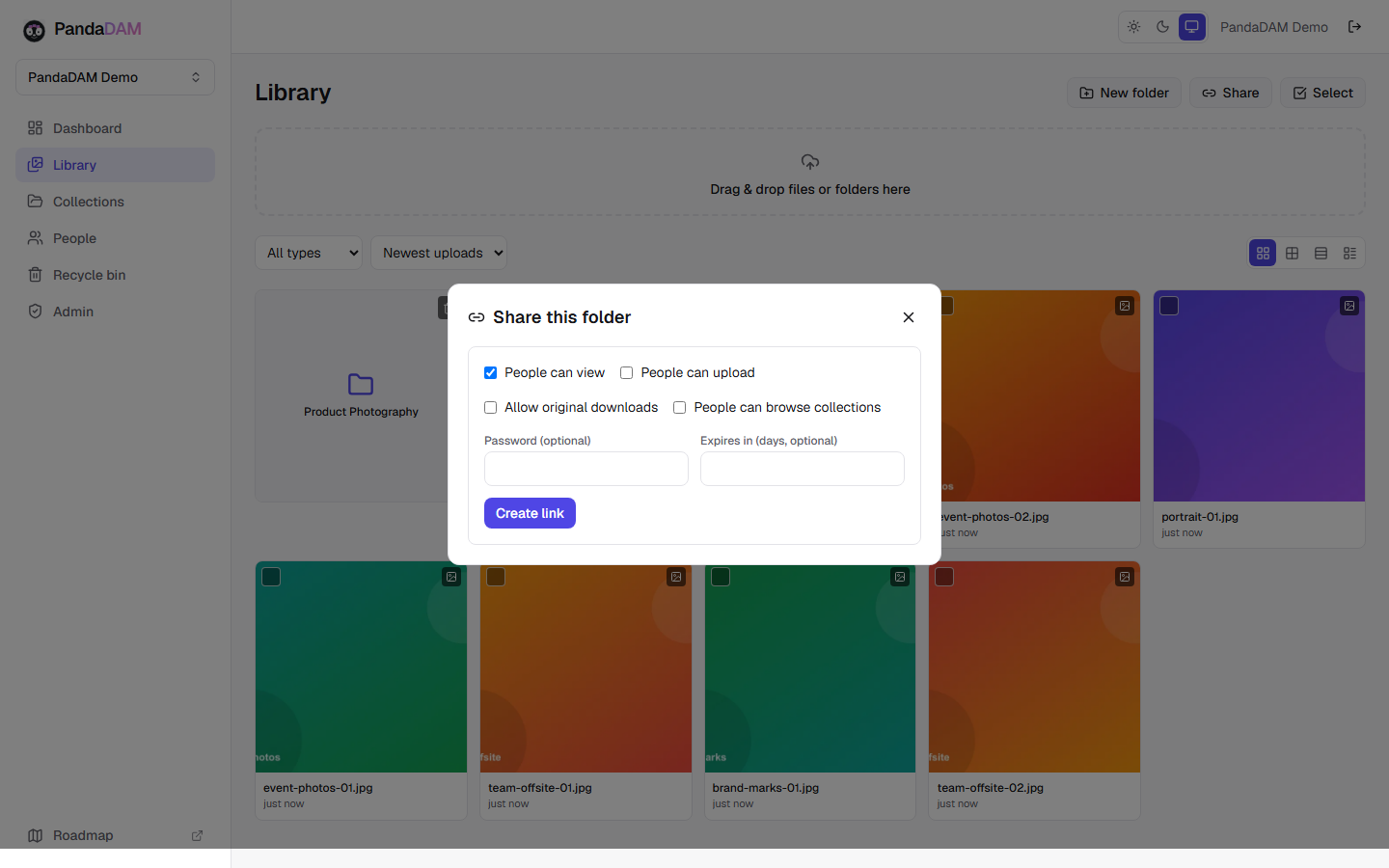
Getting media out of your library is as important as getting it in. PandaDAM's secure digital asset sharing works through links, not exports: scope a link to a single folder, a whole collection, or an enrolled People group, and share it with anyone — they don't need a PandaDAM account to view it. Add an optional password and an optional expiration date for anything sensitive or time-limited, and turn on upload access when you want a client or collaborator to drop files back to you without ever seeing the rest of your workspace.
This is digital asset collaboration built for how sharing actually happens day to day — a client review, a press kit, a one-off delivery — without emailing zip files or granting broad access to a shared drive just to get one folder into someone else's hands.
Reliability and safety are not an afterthought
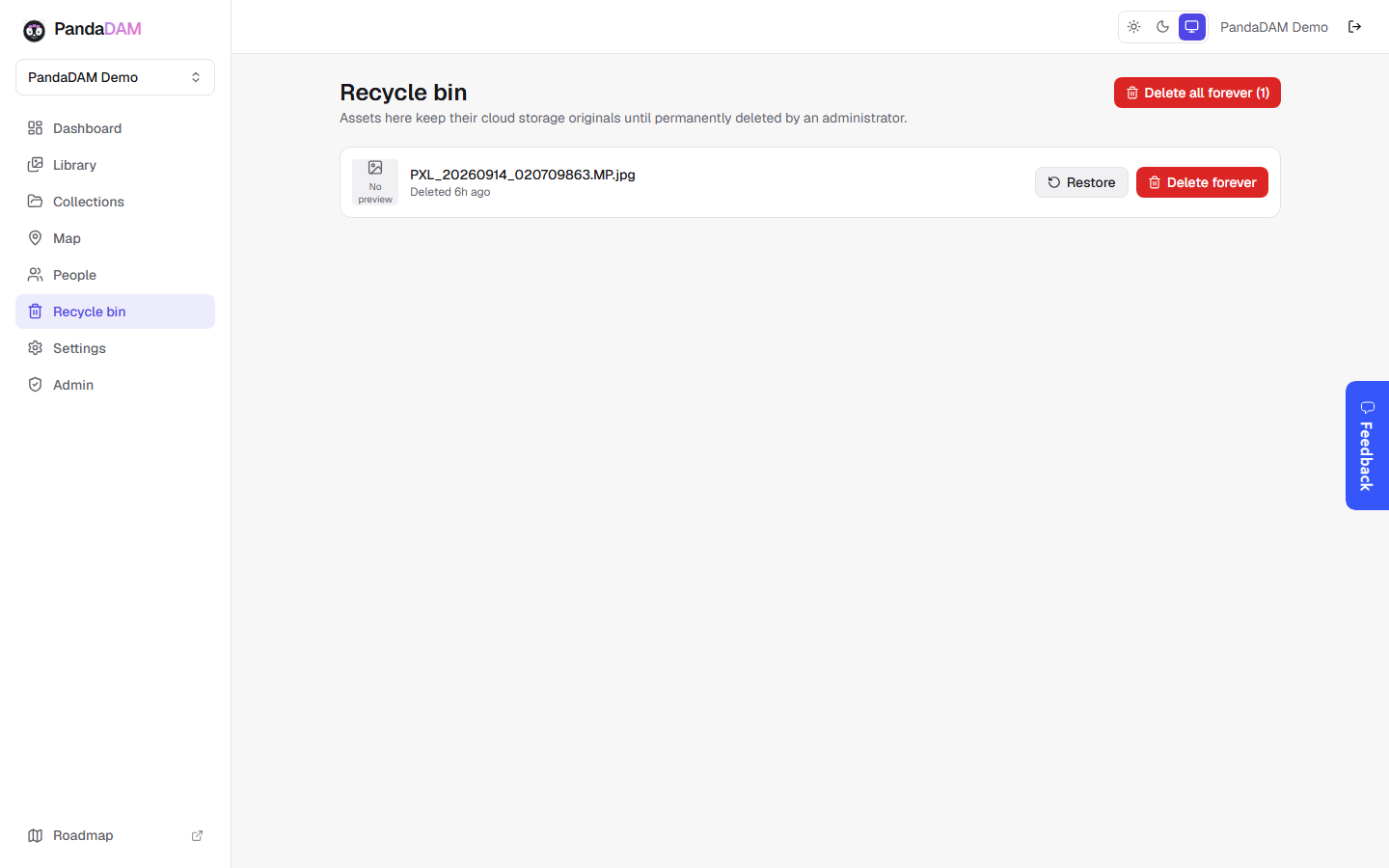
Every delete path in PandaDAM — a single asset, a bulk selection, or an entire folder — lands in the recycle bin first, regardless of who's deleting it, including workspace admins. Nothing is ever one click away from permanent loss; a second, separate, explicit step from inside the recycle bin itself is required before anything is gone for good. Combined with automatic duplicate detection and full audit logging of who did what and when, it's the kind of quiet reliability a growing digital asset archive needs but rarely gets from a general-purpose file drive.
Roles, workspaces, and storage built for multiple teams or clients
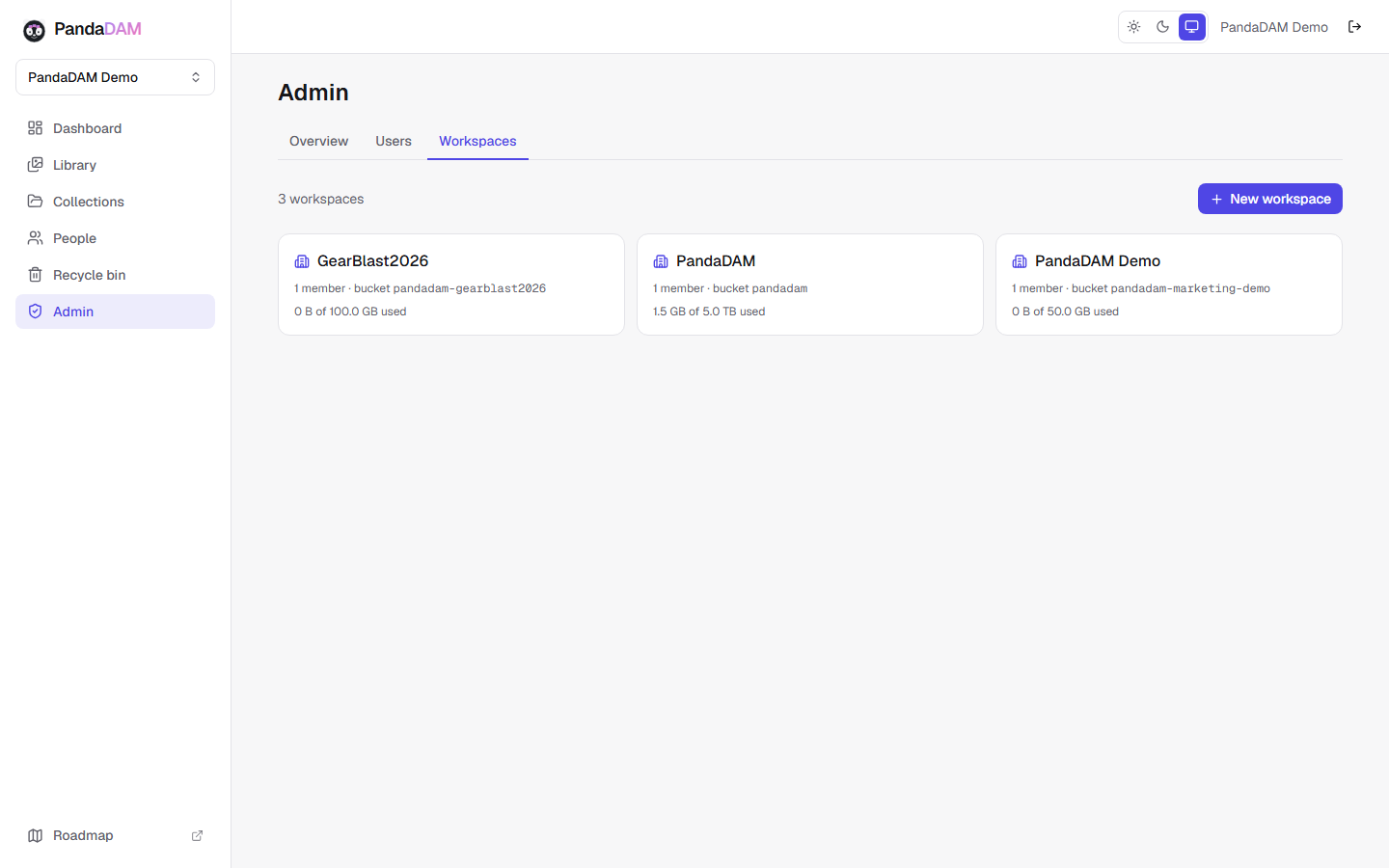
PandaDAM organizes access around workspaces, each with its own isolated cloud storage — useful whether that separation is between internal teams, brands, or clients. Five roles (Admin, Manager, Contributor, Viewer, and Client) cover the common cases without requiring you to hand-configure a permissions matrix for every folder. Platform admins manage users and workspaces from a dedicated admin area, and every workspace's storage is tracked independently of the others.
See it in action
A look at the media library, upload flow, people view, video player, and share links.
Built for the people who create and manage your media
PandaDAM works for anyone responsible for a growing library of photos, video, or 360° media — not just enterprise IT departments.
Marketing and creative teams use PandaDAM as a centralized digital asset library so campaign assets, brand photography, and video don't end up scattered across a dozen personal drives.
Agencies and production companies get workspace-level isolation between clients, so each engagement's media stays separate without needing a new tool for every account.
Photographers and videographers get automatic, face-based organization for shoots with repeat subjects, full 360° asset support, and client-ready share links for proofing and delivery — see how PandaDAM works for photographers.
Content creators and small businesses get the organization of a real digital asset management system without an enterprise onboarding process — see PandaDAM for small business.
Whatever the team, the underlying digital asset management tools are the same: one searchable library, automatic organization, and sharing that doesn't require handing out full access just to get one folder to one person.
A digital asset management system vs. a shared drive
It's a fair question: why use dedicated digital asset management software instead of a folder in a general-purpose cloud storage account? The honest answer is that generic cloud storage and a digital asset management system solve different problems.
A shared drive is built to store files. A digital asset management platform is built to make media findable, organized, and safe to share at scale. That difference shows up in a few concrete ways: a shared drive doesn't know when you've uploaded the same photo twice; PandaDAM detects it automatically. A shared drive treats a photo and a spreadsheet the same way; PandaDAM generates real previews, extracts metadata, and lets you browse thousands of images visually instead of as a list of filenames. A shared drive's sharing model is built around permissions meant for documents; PandaDAM's is built around media-specific needs like password-protected client delivery links, People-based browsing, and upload-only links for collecting files back.
None of this makes general cloud storage bad — it's just a different tool. Once a media library grows past a few hundred files and more than one or two people touch it, the gap between “a place files are stored” and “a system built to manage digital assets” starts to matter a lot more.
Frequently asked questions
What is digital asset management software?
Digital asset management (DAM) software is a centralized system for storing, organizing, finding, and sharing digital files — typically photos, video, and other media — instead of scattering them across folders, email attachments, and personal drives. A good digital asset management platform adds the things generic file storage doesn't: automatic organization, real search, duplicate detection, and sharing built for media rather than documents. See our full guide: What is digital asset management?
Is PandaDAM cloud-based?
Yes. PandaDAM is SaaS digital asset management — there's nothing to install or host yourself. It runs entirely in the browser, and every workspace's media is stored securely in the cloud with its own isolated storage.
Does PandaDAM use AI?
PandaDAM's shipped AI-powered feature is facial recognition, which powers a dedicated People view: automatic face detection that groups photos by person, fully opt-in per workspace. Broader AI-powered auto-tagging and captioning is in active development — see the roadmap for where that stands.
Does PandaDAM support 360° photos and video?
Yes, 360° photo and video files are supported as first-class asset types. Today they display as their flat source file; an interactive panoramic viewer is in progress — see the roadmap.
How does PandaDAM keep assets secure?
PandaDAM stores media on Amazon S3, Wasabi, or DigitalOcean Spaces, with encrypted connections to cloud storage on every request. Enterprise customers can connect their own cloud storage account instead — useful if you need to host under infrastructure that already meets requirements like HIPAA or PCI. Every workspace also has its own isolated storage, share links can require a password and expire automatically, facial recognition data is encrypted at rest, and every delete — single, bulk, or folder-wide — lands in the recycle bin first, with permanent deletion requiring a separate, explicit confirmation, regardless of role.
Can I try PandaDAM before committing?
PandaDAM doesn't have a self-serve signup yet. Reach out and we'll set you up with a demo workspace so you can see it with your own content before deciding.
Does PandaDAM detect duplicate files automatically?
Yes. Every upload is hashed and checked against your workspace's existing library, so re-uploading the same photo or video from a different folder or device gets flagged instead of silently duplicating your storage.
What happens when I delete something by mistake?
It goes to the recycle bin, not straight to permanent deletion — no matter who deletes it or how, including bulk actions and whole-folder deletes. Recovering it is one click; permanently deleting it is a deliberate, separate step.
Can multiple teams or clients use one PandaDAM account?
Yes — PandaDAM is organized around workspaces, each with its own isolated storage and membership. It's common to run one workspace per client, per brand, or per internal team, all under the same account.
Does PandaDAM support metadata like captions and keywords?
Yes. Every asset has fields for description, caption, alt text, keywords, customer, and project, in addition to the EXIF metadata PandaDAM extracts automatically on upload — all of it searchable.
Does PandaDAM support bulk actions on large libraries?
Yes. You can select many assets at once to edit, move, or delete them together, and drag and drop assets directly onto a folder to move them — useful once a library grows past a few dozen files and one-at-a-time editing stops being practical.
Can I organize assets with both folders and collections?
Yes. Folders give you one structural home for each asset, similar to a traditional file system, while collections let you group assets across different folders — for example, pulling the best shots from several shoots into a single ‘best of’ collection without moving the originals.
What's next for PandaDAM
AI auto-tagging and captioning, an interactive 360° viewer, and more are in progress. See what's shipped, in progress, and planned.
View the RoadmapBring order to your media library
See how PandaDAM organizes, secures, and shares your team's photos and video.